AI object remover test: how big an object can you erase?
Short answer: an AI object remover works best on objects that cover a small part of the frame. We erased the same red ball at four sizes from a lake photo. Under about 1.5% of the frame the AI fill was hard to tell from the original; at 5% it was plausible but wrong in the details; at 10% it redrew the reflection in the wrong place.
The error grew steadily with size: 11.9 → 17.4 → 23.3 → 28.3 (0–255 scale) as the selection grew from 0.27% to 10.3% of the photo.
"Remove any object" is the promise on most object-remover pages. What they rarely show is how quality changes with the size of the thing you remove. We tested exactly that, with an answer key: we placed the ball on the photo ourselves, so we know what the lake looks like underneath.
How we tested
- Photo: Moraine Lake, public domain, scaled to 1280 × 960. The ball sits on the line between the forest's reflection and the open water, a hard spot because a straight edge runs through it.
- Four sizes of the same ball: 48, 128, 256 and 384 pixels across, each in its own copy of the photo, always at the same position.
- Selection: one round dab 16 px wider than the ball. Then Eraslino's Smart fill (MI-GAN) and Quick patch (Telea), each from a fresh page.
- Score: average absolute difference from the original over the selection (lower is closer), and fine detail relative to the original (1.00 = same).

Results
| Ball | Selected pixels | Share of photo | Smart fill error | Quick patch error | Detail (smart / quick) |
|---|---|---|---|---|---|
| 48 px | 3,276 | 0.27% | 11.9 | 13.7 | 0.69 / 0.11 |
| 128 px | 16,446 | 1.34% | 17.4 | 33.7 | 0.55 / 0.07 |
| 256 px | 58,392 | 4.75% | 23.3 | 27.2 | 0.67 / 0.05 |
| 384 px | 126,156 | 10.3% | 28.3 | 27.4 | 0.70 / 0.04 |
Fill time: 0.8 s for every smart fill (model cached) and at most 0.1 s for quick patch, Chrome on an Apple M4 Pro. The model pipeline crops around the hole and works at 512 px internally, which is why its time barely changes with size.
What each size looks like
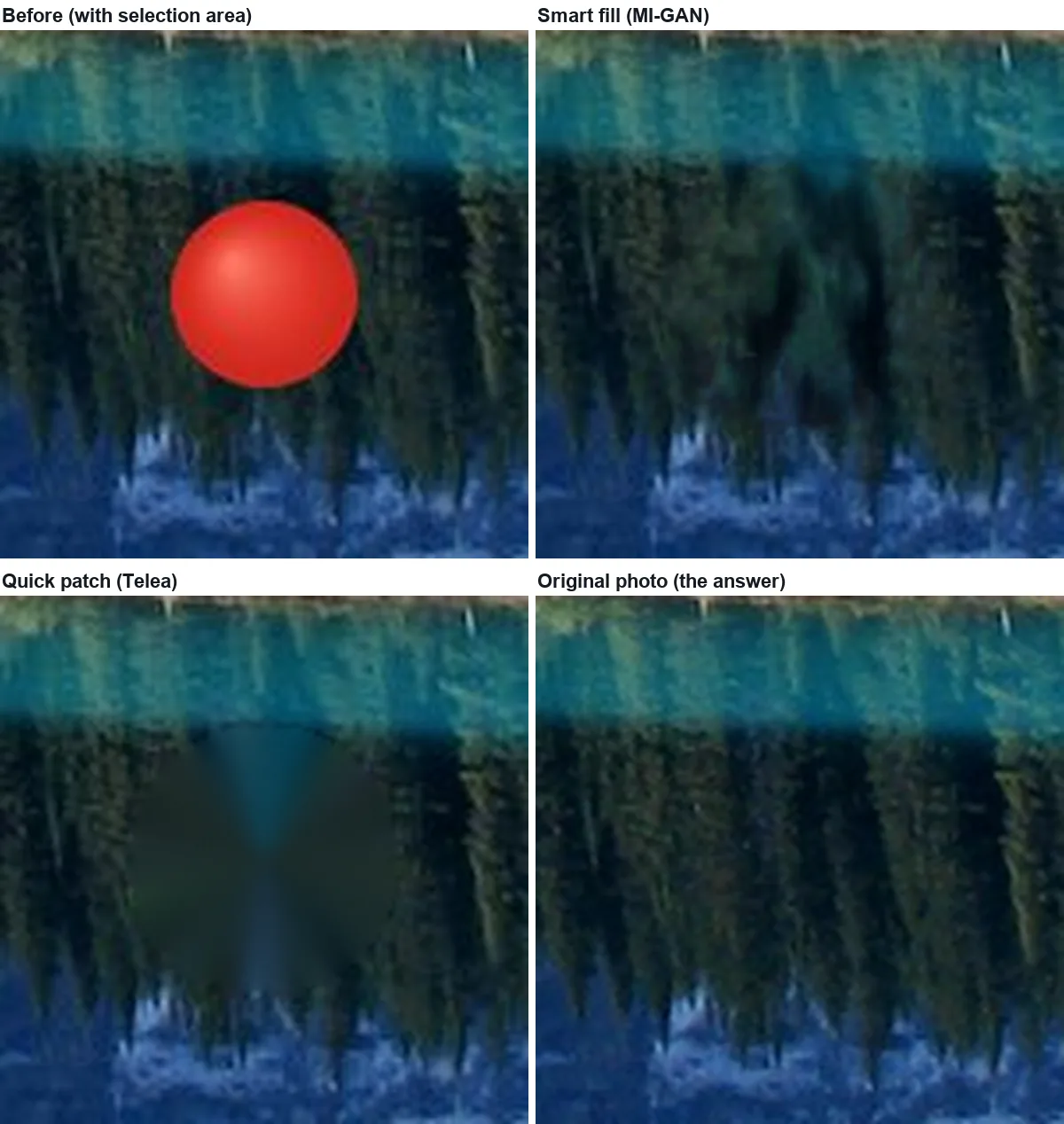
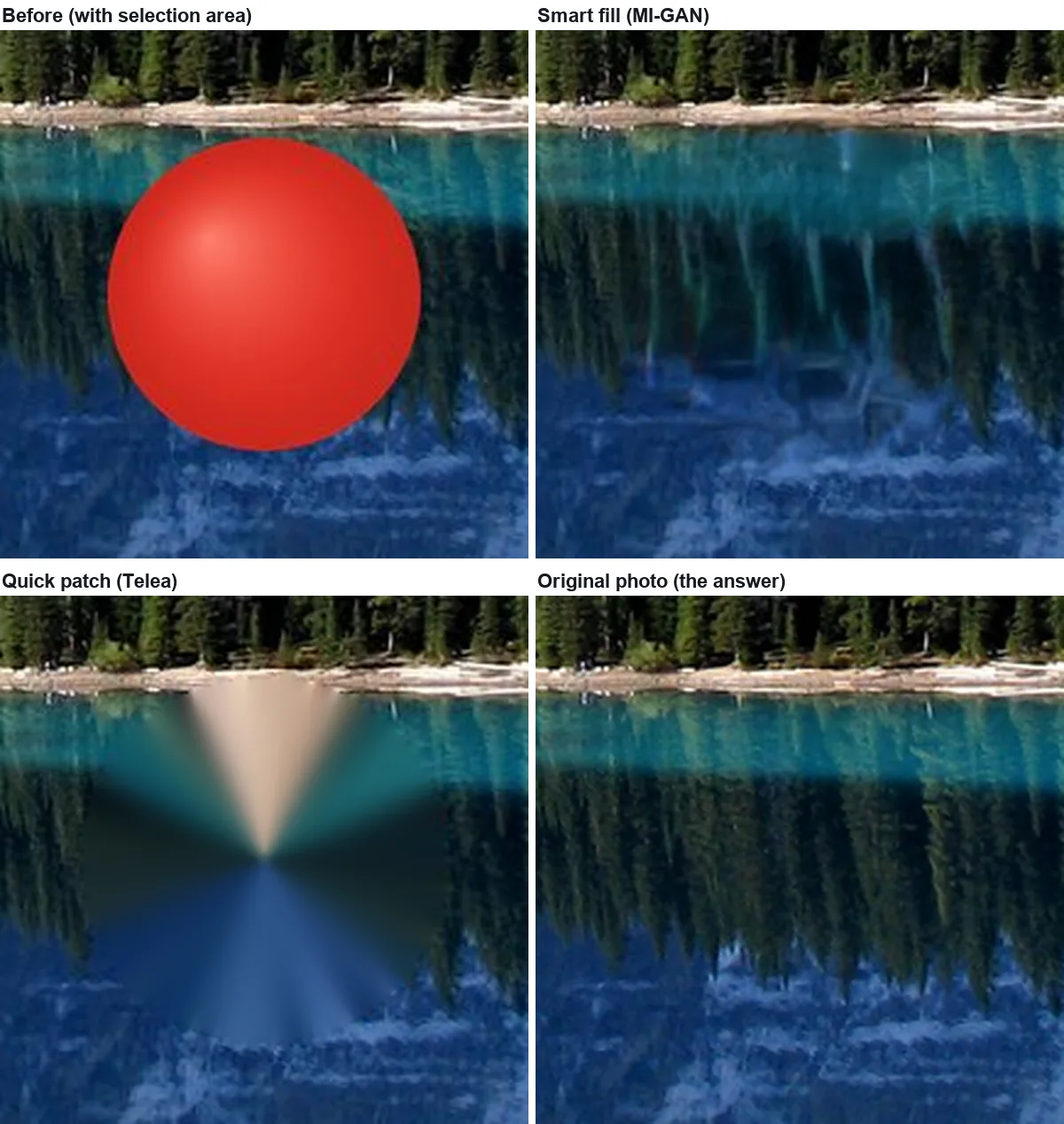
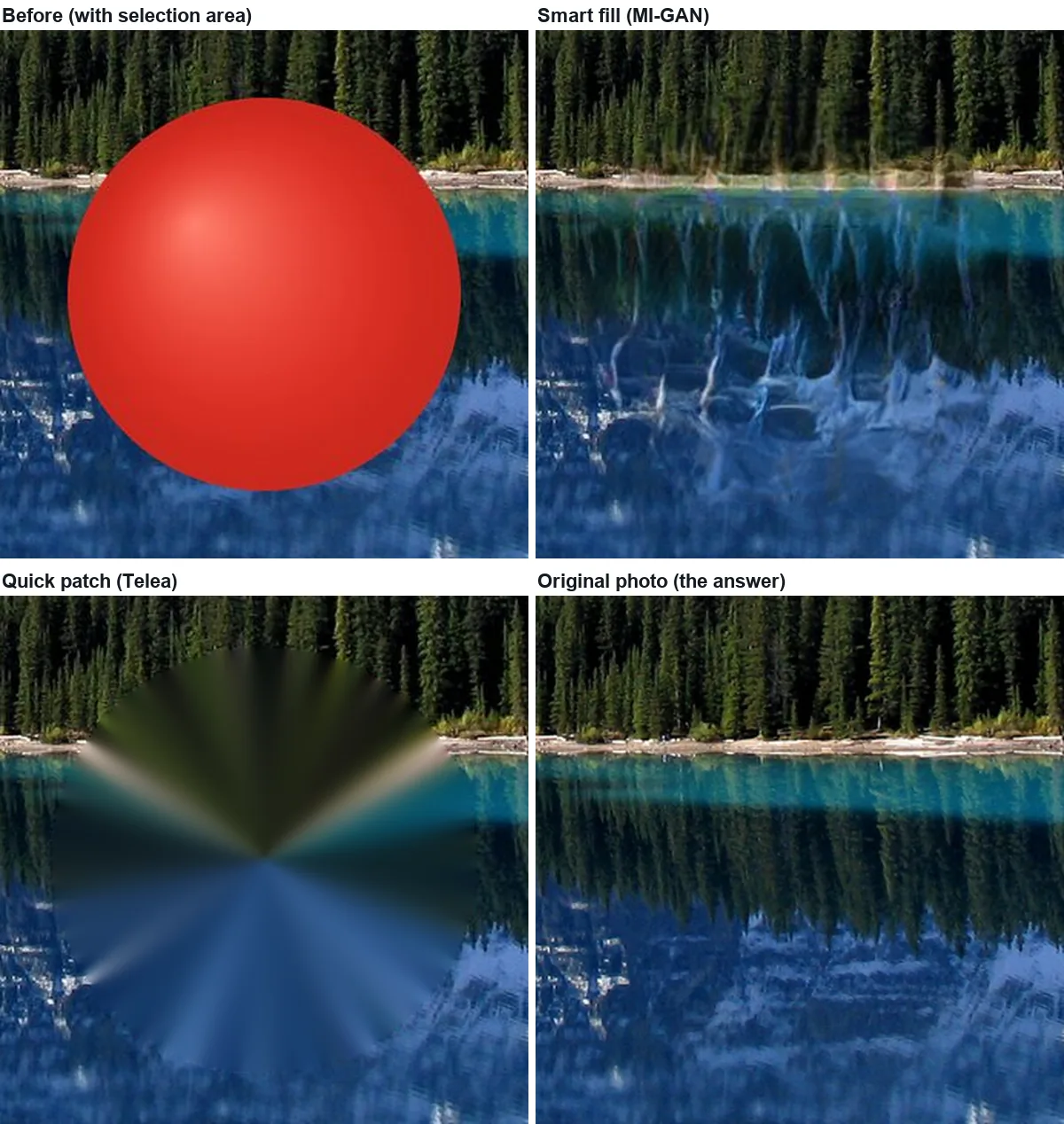
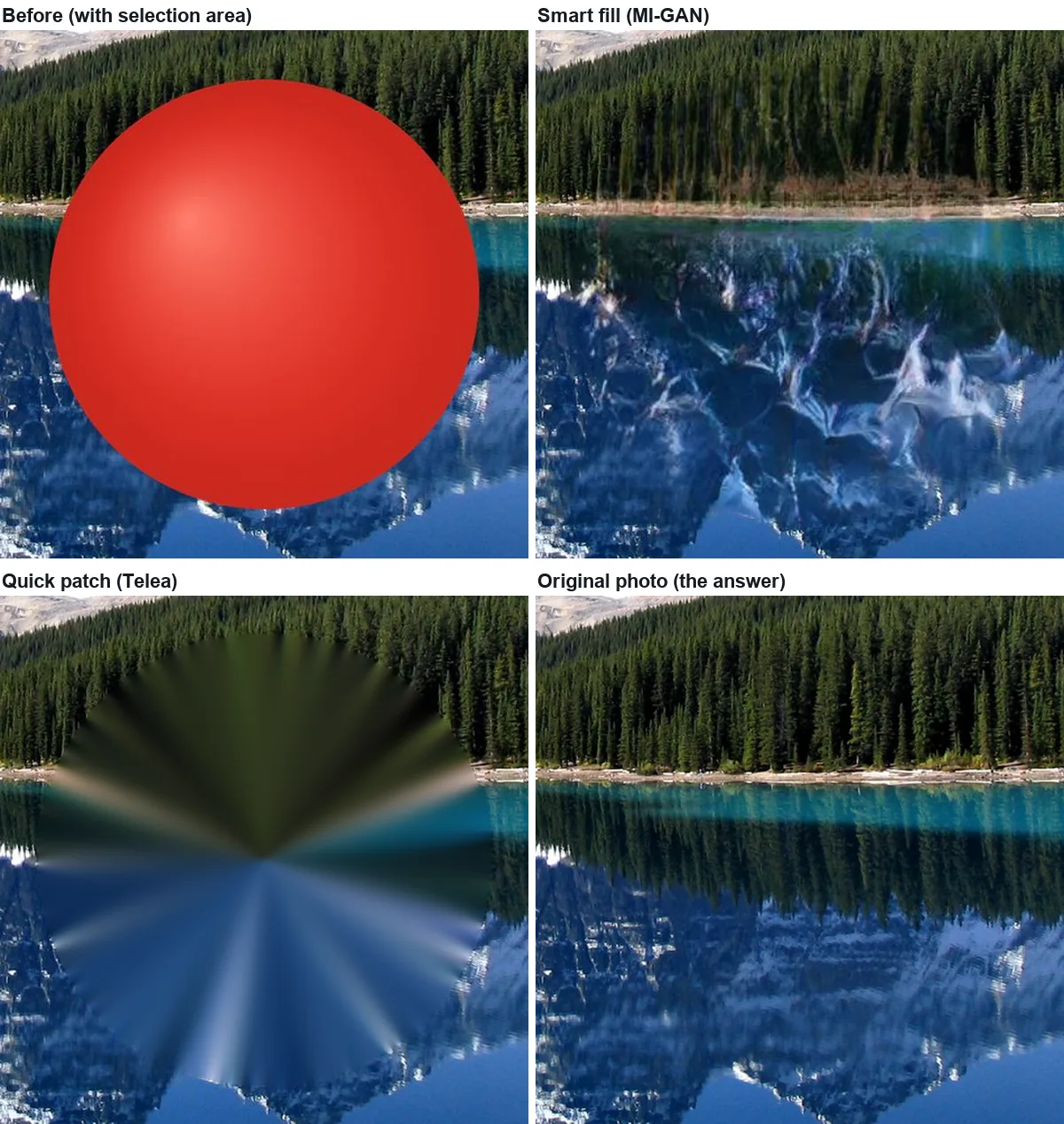
Five things the test shows
- Size is the main factor. Error more than doubled from the smallest to the largest ball, with the same photo and the same position.
- Small objects do not need AI. At 0.27% of the frame quick patch was within 2 points of smart fill and needs no model download.
- Straight lines through the hole give a large fill away. The shoreline and the reflection edge are what broke first. Before you erase, look at what lines cross the object.
- A good error score is not the same as a good look. At 384 px the two methods scored about the same (28.3 and 27.4), but quick patch is an obvious smear and smart fill a believable lake.
- The model's time is flat. Because the MI-GAN pipeline works on the area around the hole at 512 px internally, a large object cost the same 0.8 s as a small one; what grows with size is the amount the model has to invent, not the time.
Removing people
A person in a photo is just a larger object with more lines around it, so the same rules apply: a distant figure covering 1% of the frame is an easy erase; someone filling a tenth of the frame leaves the model to invent everything behind them. Erase the person and their shadow together, and if they overlap the main subject, the background behind the overlap will be guessed. Only edit photos of people in ways they would be fine with.
Sources
- Photo: Moraine Lake 17092005.jpg, Wikimedia Commons, public domain (read 2026-11-15). Ball drawn by us.
- MI-GAN: A. Sargsyan et al., "MI-GAN: A Simple Baseline for Image Inpainting on Mobile Devices", ICCV 2023, code and weights (the Places2 512 pipeline is the one Eraslino runs).
- Measurements: our own, 2026-11-15, Eraslino build of that day, headless Chrome on an Apple M4 Pro. Method: guides page.

Keep going
- How to remove glare from a photo: when erasing works, by spot size — Small, medium and large hot spots on wood: which fill to use and where erasing stops working.
- How do watermark removers work? What they actually do to the pixels — Inpainting replaces, it doesn't lift: a 45% watermark erased two ways and reversed mathematically.
- All guides — every test on one page.