How to remove a date stamp or your own watermark from a photo
Short answer: for a date stamp or a watermark you added to your own photo, try these in order: use the original file if you still have it; crop the mark out if it sits in a corner; erase it if it sits on a plain area such as sky or water. On busy texture (rocks, foliage, crowds) erasing a stamp left a visible patch in our tests, and cropping was the cleaner fix.
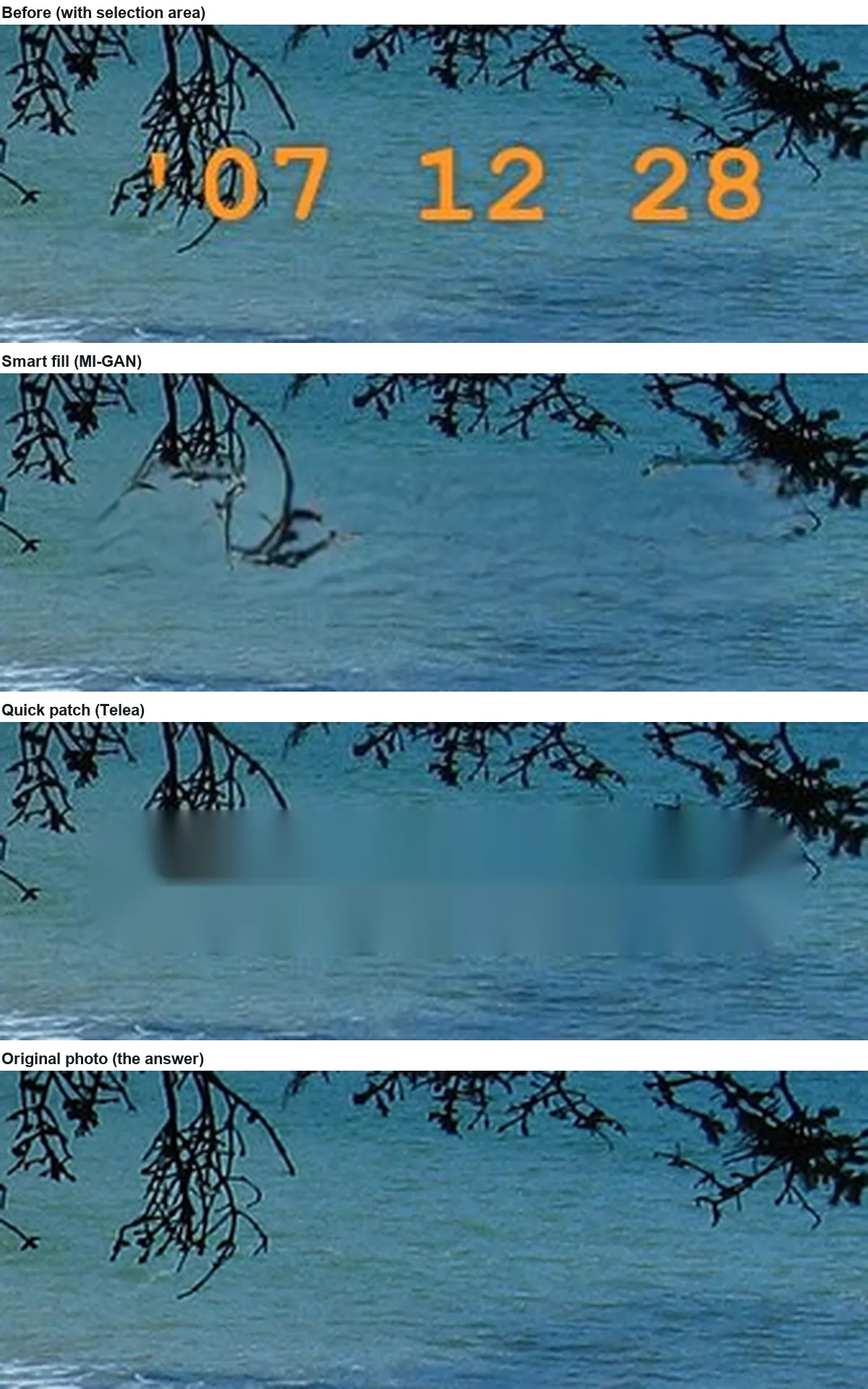
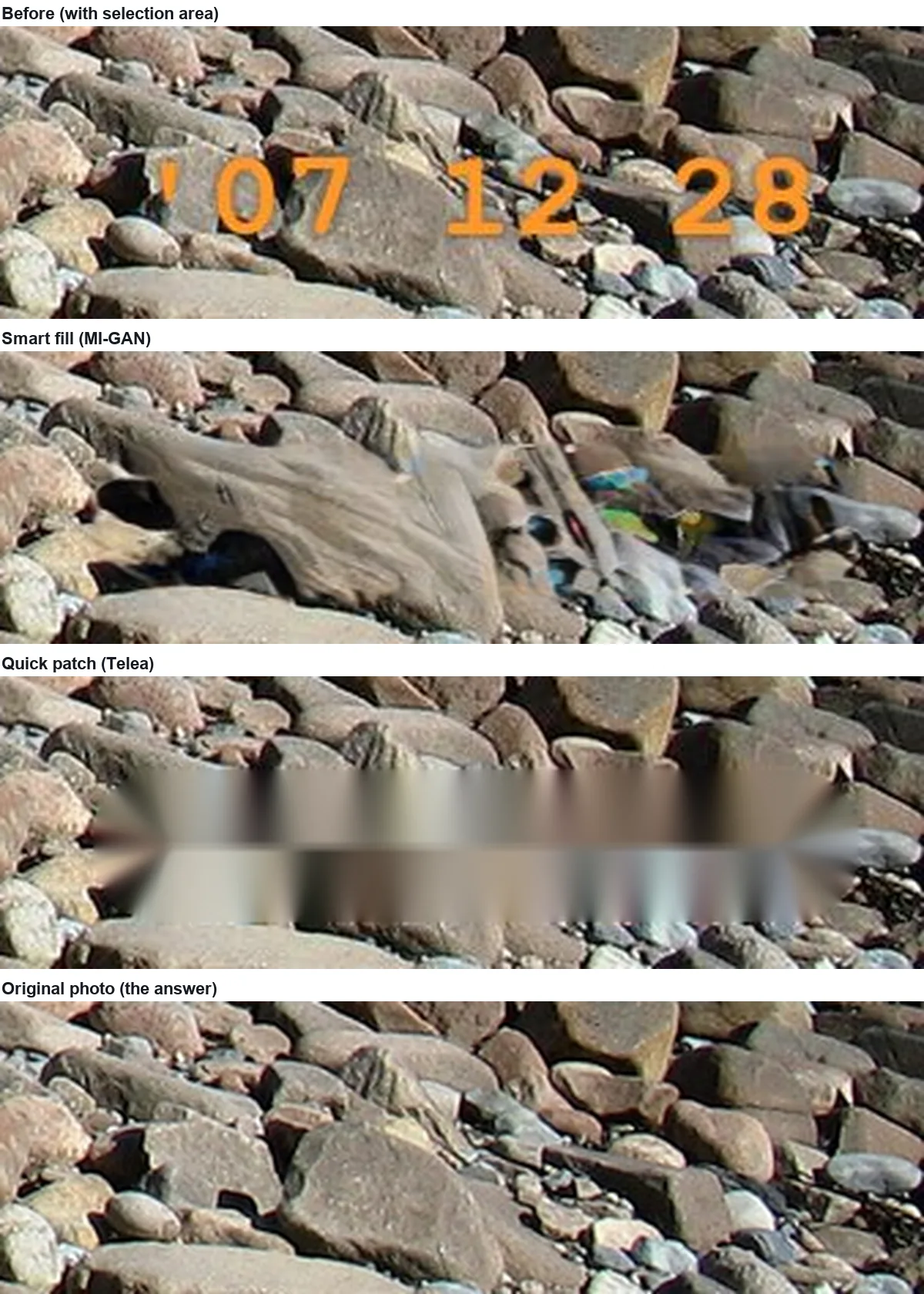
The same orange stamp erased almost perfectly over open water (error 16.8, below the 19.2 of leaving it in) but badly over pebbles (error 45.8–61.1, far above the 16.7–27.3 of leaving it in).
This guide is about marks on your own pictures: the date a film or digital camera printed into the frame, an old logo you stamped on your photos, a "sample" mark on a picture you made. For somebody else's watermark, see the note on the law in how watermark removers work.
Option 1: use the original
A watermark you added in an editor or an export preset is usually not in the master file. Check the original folder, the camera card and any backup before editing anything. Nothing an eraser can do comes close to the real pixels.
Option 2: crop the stamp out
Date stamps sit in a corner, so a small crop often removes them with no guesswork at all. In our test photo (1280 × 960) the stamp occupies the area from x = 990 to 1242 and y = 901 to 929. Cropping to the top-left 1200 × 900 keeps the 4:3 shape, removes the whole stamp, and keeps 87.9% of the picture (1200 × 900 ÷ (1280 × 960)). If the corner holds nothing important, this is the most faithful fix.
Option 3: erase it
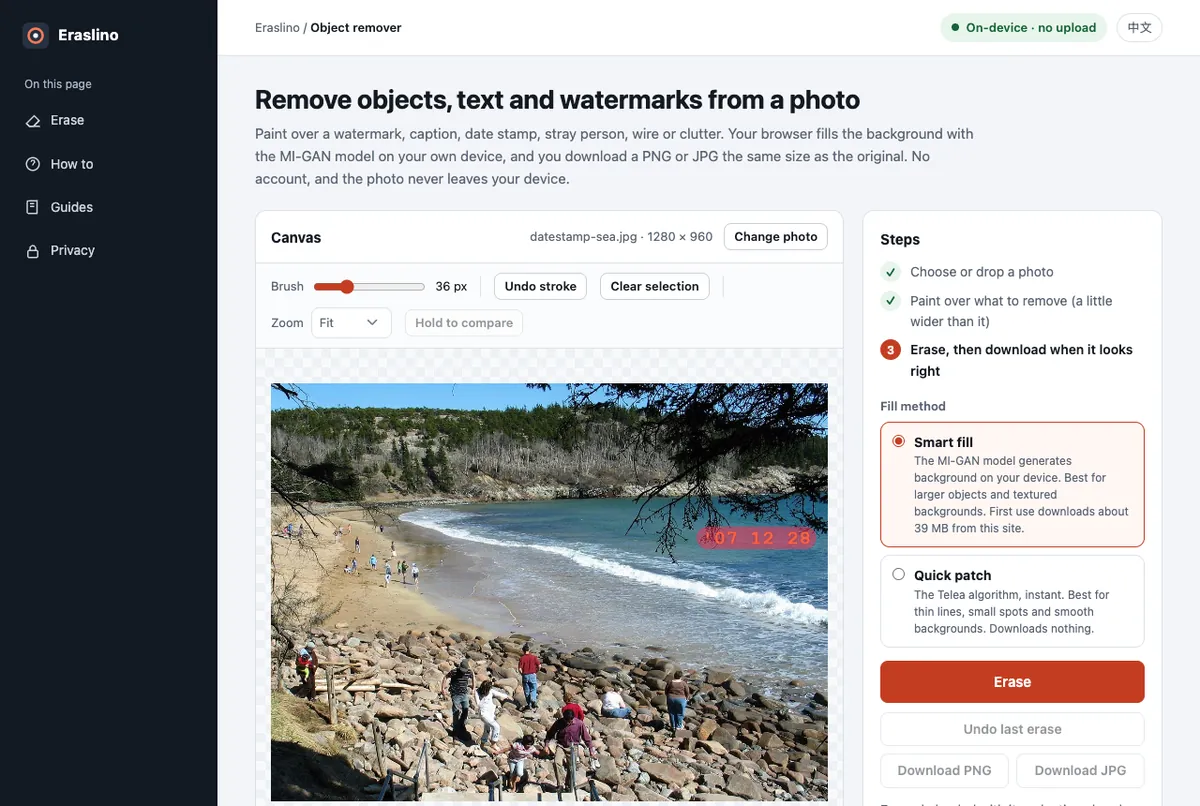
When the stamp sits over something you want to keep, paint over it and fill. We put the same orange "'07 12 28" stamp on two parts of a public-domain beach photo (we used the date in the file's EXIF data) and erased it with Eraslino, once over open water and once over a pebble beach.
The hard case: a stamp over pebbles
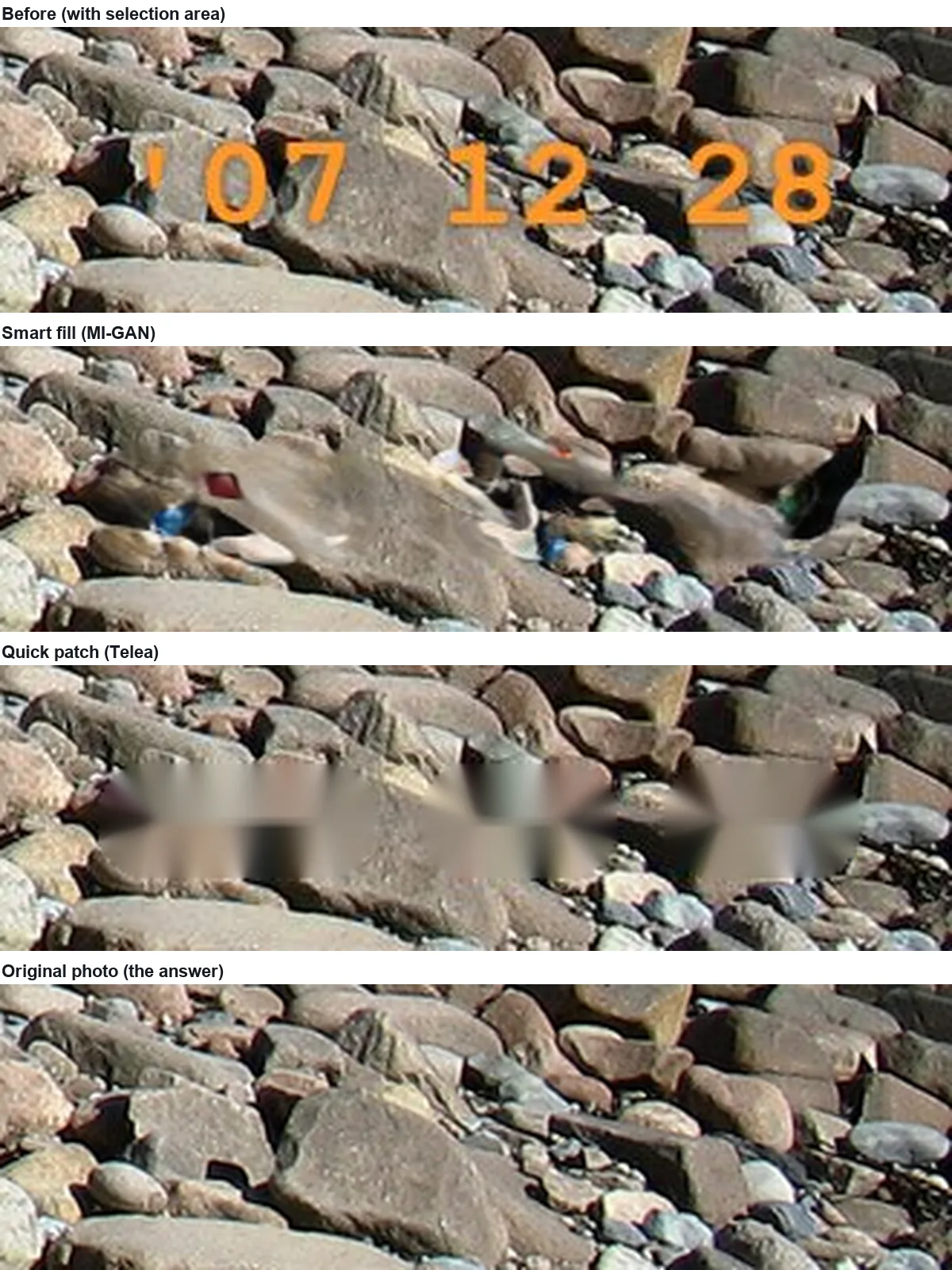
We tried again with a tighter selection, one short stroke per group of digits with the brush only 8 px taller than the digits. That halved the selected area, but the fill still did not look like pebbles:
Results
| Stamp position | Selected pixels | Stamp left in | Smart fill | Quick patch | Detail (smart / quick) |
|---|---|---|---|---|---|
| Open water, one stroke | 13,830 | 19.2 | 18.5 | 16.8 | 0.36 / 0.07 |
| Pebbles, one stroke | 13,830 | 16.7 | 61.1 | 51.1 | 0.57 / 0.04 |
| Pebbles, three tight strokes | 7,212 | 27.3 | 59.7 | 45.8 | 0.59 / 0.06 |
Error: average absolute difference from the original over the selection (0–255, lower is closer). "Stamp left in" is higher for the tight selection because the stamp fills more of a smaller area. Each fill took 0.8 s (smart, model cached) or under 0.1 s (quick) in Chrome on an Apple M4 Pro.
Why pebbles fail and water works
- Water repeats; pebbles don't. Any wave pattern that fits the edges looks right. Every pebble has its own outline, highlight and shadow, and a fill that blends neighbours makes shapes no real stone has.
- A thin, wide hole is awkward for the model. The stamp is about 250 px wide and under 30 px tall. The model has to bridge a long gap with very little above and below it, and in a corner there is even less context on one side.
- A pixel score punishes invented texture. On pebbles even a plausible fill would score badly because each invented stone sits where the real one did not. Here the fills were not plausible either, which is why we recommend cropping.
Your own logo watermark
A semi-transparent logo you applied yourself can often be removed better than any eraser manages, because you know its shape and opacity: the blend can be reversed mathematically. Our watermark test shows that this brought the error down to 4.6, against 27–39 for erasing. If you no longer know those settings, treat the logo like a date stamp: crop if it is in a corner, erase if it is over a plain area, and keep the selection tight (see removing text from an image).
Sources
- Photo: Spring - Sand Beach.jpg, National Park Service, Wikimedia Commons, public domain (read 2026-11-15). Date stamps added by us.
- Crop arithmetic as shown above.
- Measurements: our own, 2026-11-15, Eraslino build of that day, headless Chrome on an Apple M4 Pro. Method: guides page.

Keep going
- How to remove text from an image: three backgrounds tested — Captions on sky, wood and brick, erased with both fill methods and scored against the untouched photos.
- How do watermark removers work? What they actually do to the pixels — Inpainting replaces, it doesn't lift: a 45% watermark erased two ways and reversed mathematically.
- All guides — every test on one page.